Saturday, May 30, 2020

EED509 Module 2 - Part 2 21st Century Tool Review for "Direct Instruction" Teaching Model: "Hippo Video"


After researching the Direct Instruction teaching model, I have learned that there are many ways technology can enhance lessons that utilize this type of instruction. Although Direct Instruction is sometimes viewed as a more "traditional" way of teaching, integrating effective technology can help engage students and result in a more successful learning experience. One tool I discovered through Pinterest is called "Hippo Video."
Video Personalization & Distribution Platform | Hippo Video


Hippo Video is a perfect addition to any lesson using the Direct Instruction model. This program allows teachers to film themselves during the "presentation" portion of the lesson. As the teacher models the procedure or describes the new concept, she can video herself and then share this video with the students as a reference during the "guided practice" and "independent practice" portion of the lesson. This provides students with an example they can view as needed. This is especially important when utilizing Direct Instruction because the goal is for students to repeat the procedure in the correct steps or understand the concept by identifying specific attributes. Although I had not previously heard of Hippo Video, after exploring the features, I discovered many benefits that would make it valuable in a 21st Century classroom. Some of these benefits are:


  • Hippo Video is very compatible with all Google applications. Videos can easily be shared on Google Classroom for students to access at home. 
  • The program is FREE for educators. Setting up an account was quick and simple. 
  • Hippo Video works well on chromebooks, which is what most students in my district use in the classroom. 
  • You can "share" your screen while filming. In my video, I was able to see myself and select which portions of my screen were shown. Students can view websites or a whiteboard feature on your video. You can also annotate on the screen while filming, add texts, or even add emojis. 
  • While Hippo Video offers a wide range of features, it can be used with a basic knowledge of video technology (cropping, screen share, etc.) I found that by simply "testing" out the various options, I was able to learn so much! 
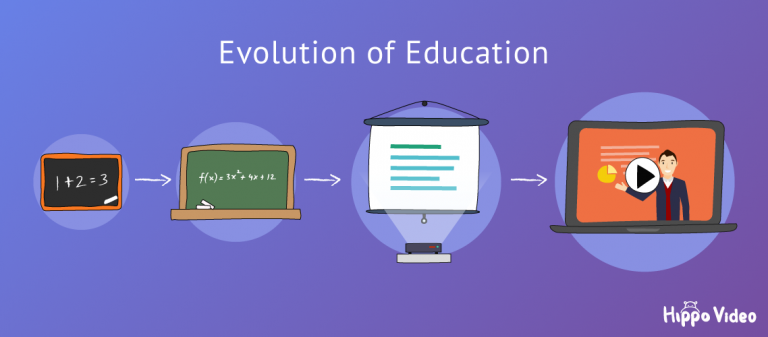
Top 7 Online Video Tool For Teachers To Create Videos Within Minutes

While my focus was to find a technology tool that lends itself well to the Direct Instruction model of teaching, I believe Hippo Video could have many more uses in the 21st Century classroom. Hippo Video is a terrific way for teachers to model and share ideas that will engage and support their students! 


Thursday, May 28, 2020

How Does Instructional Design Impact P-12 Student Learning? - EED509 Module 2

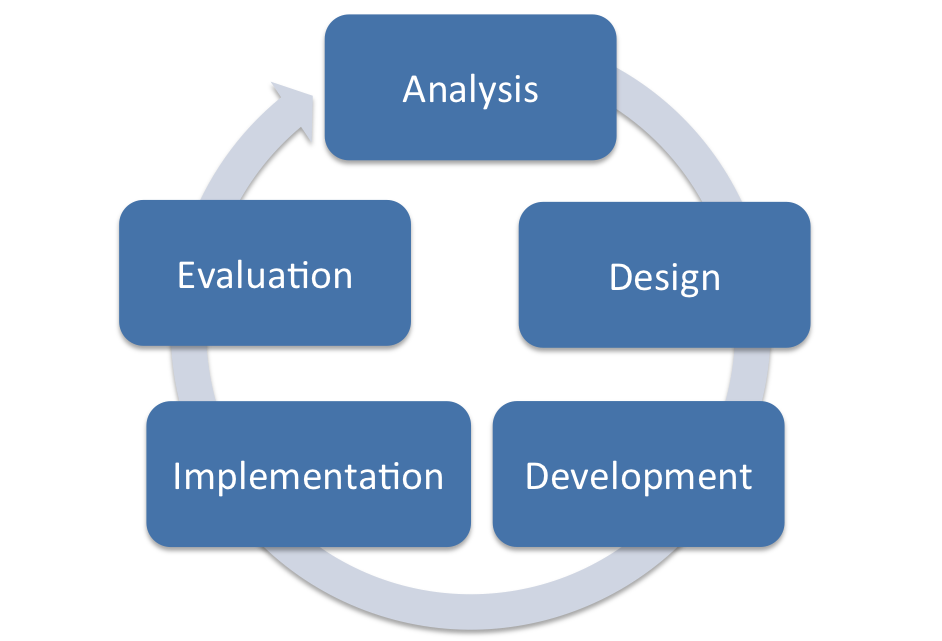
Instructional design impacts student learning in many ways. According to Teaching Models: Designing Instruction for 21st Century Learners, “Instructional design (sometimes called instructional systems design) is a systematic and scientific approach for designing instruction and creating instructional materials.” Milman, Natalie B., Kilbane, Clare R. Teaching Models: Designing Instruction for 21st Century Learners.. [Yuzu]. This requires teachers to approach their lessons as “educational designers.” Teachers must not only plan lessons that effectively meet objectives, but also integrate tools that are available to engage all learners. It means that teachers must implement various instructional models depending on the content they are teaching.
In the 21st Century classrooms I have observed, it is evident which teachers approach their job as educational designers. These teachers have taken the time and effort to use a “backward approach” to planning. They have first thought about the goals and objectives, then reflected on the instructional model that is most appropriate. They have not only planned high-quality resources, but also integrated technological tools to enhance the lessons. These are teachers that make a conscious effort to differentiate the instruction so that all learners are engaged and can benefit from the lesson. By familiarizing ourselves with the instructional design process, we can be better equipped to meet the needs of 21st Century Learners. 
ADDIE Model: Instructional Design - Educational Technology
The ADDIE model of instructional design - used from Educational Technology.net
https://educationaltechnology.net/the-addie-model-instructional-design/

Sunday, May 24, 2020

EED 509 Module 1 Assignment

Module 1 - Part 4 21st Century Tool Review: "EPIC!"
Epic | The Leading Digital Library for Kids | Unlimited Access to ...

I first became familiar with EPIC! through a Facebook group for teachers. Like many ELA educators, I was searching for tools that would motivate my students to read. I believe that EPIC! Is a terrific resource that not only engages students, but effectively integrates technology.   
EPIC! Is an online reading library that provides students access to over 25, 000 books. While is best used for reading, also has numerous nonfiction titles that can be used for research in other content areas. Epic! is free for educators and easily connects to Google Classroom. Any teacher who has experience with Google Classroom would be able to set up a class in Epic! without support. The app is very easy for students to navigate as well. My five year old is able to select books based on topics that interest her and track her progress through the Epic! app. 

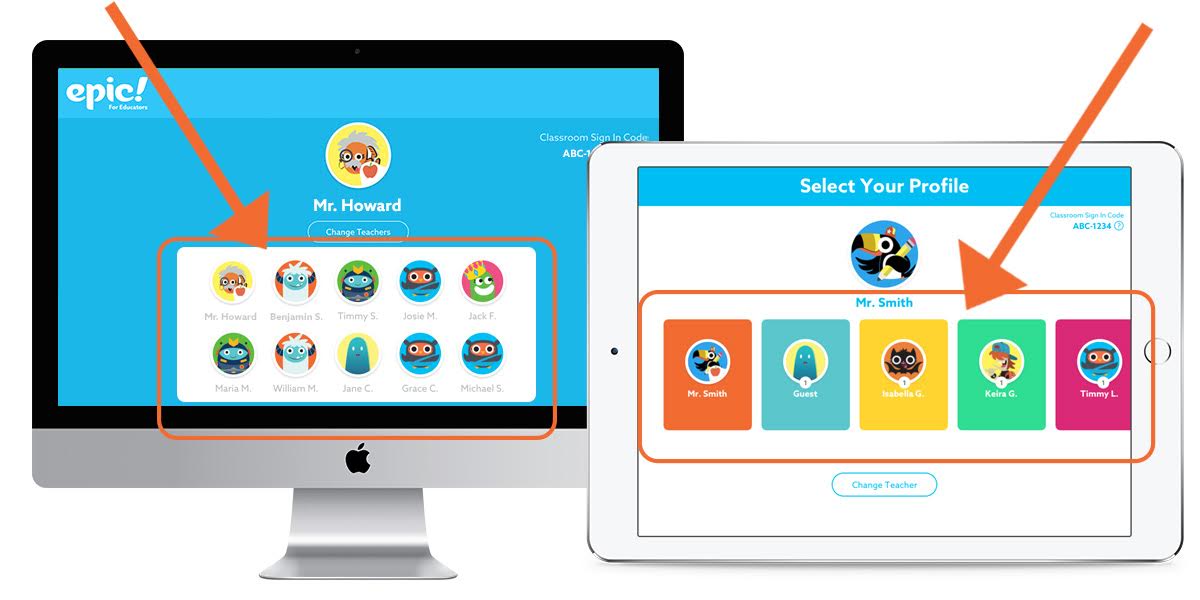
How do my students log into my educator account? – Help Center
Student Profiles on EPIC!
This program is a valuable instructional tool for educators for many reasons. It provides content specific technology because students can search for and access a multitude of topics. It also gives teachers technological pedagogical knowledge because teacher’s can assign books to students based on reading level, interest, or need. Teachers can also differentiate by assigning books that can be read aloud to struggling readers, as well as track their students progress based on hours read, books completed, or success on comprehension quizzes. This app would be very useful if a teacher wanted to assess students’ ability to complete a graphic organizer, determine theme or main idea, or analyze characters because he or she can assign the same text to all his or her students. 

Other benefits of EPIC! Include:
  • Students can access through any device - they always have their books available
  • Students can set up their library based on interest (this is helpful for students that struggle with choosing books)
  • Students can “level up” and receive “badges” for completing books. 
  • Over 25,000 books available - includes popular characters, series, and high interest non-fiction texts. 
  • Motivates reluctant readers

I hope you will consider adding EPIC! to your “instructional toolbox.” It is an excellent resource for 21st Century Educators! 

Get Epic! - Unlimited Books for Kids - Microsoft Store
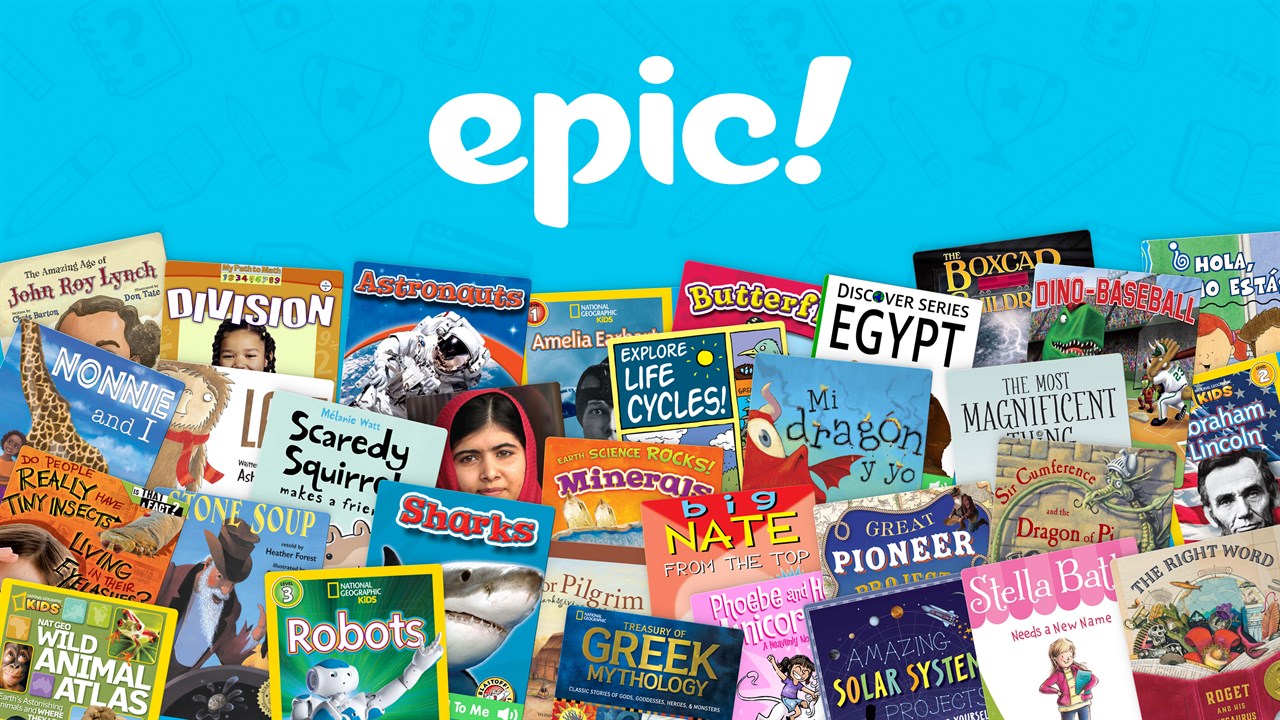
So many titles available through Epic!

EED 509 Module 1 Assignment

Module 1 - Part 3 "What is TPACK?"

Image: used from TPACK.org https://matt-koehler.com/tpack2/
TPACK Model - Image used from TPACK.org https://matt-koehler.com/tpack2/

TPACK stands for Technological Pedagogical and Content Knowledge. It is an extension of Lee Shulman’s model of knowledge domains and is meant to illustrate the knowledge teachers should possess to adequately integrate technology into their teaching. This model reminds educators that they must possess understanding of the content they are teaching, the best way to teach the content, and the appropriate technology to use. Let’s look at the components of TPACK: 

The elements of the TPACK model are outlined and defined in book Teaching Models: Designing Instruction for 21st Century Learners. Awareness and comprehension of these parts will help the teacher plan more effective lessons and make intentional decisions about their instruction. Milman, Natalie B., Kilbane, Clare R. Teaching Models: Designing Instruction for 21st Century Learners.. [Yuzu].The first components of TPACK are content knowledge - understanding what needs to be taught, pedagogical knowledge - how to teach, and technical knowledge - what tools can be used to teach. Also included are technical content knowledge - understanding content specific technology, pedagogical content knowledge - understanding the best way to teach specific content, technical pedagogical knowledge - understanding the most effective way to use available technology, and technological pedagogical content knowledge -requiring the educator to think about the best method for teaching specific content and the most beneficial and appropriate technology to use .  When all these components are together they make up the TPACK model. 
As educational designers, it is essential that we understand not just WHAT we are teaching, HOW to best teach it, and WHICH tools would make our teaching most successful. 21st Century Educators have to have a mindset of growth and be willing to adapt and learn as new technology and instructional methods become available. “Technology, learner needs, and curriculum are constantly changing; therefore, teachers will need to expand their TPACK throughout their careers to respond to these changes.” (page 51) Milman, Natalie B., Kilbane, Clare R. Teaching Models: Designing Instruction for 21st Century Learners.. [Yuzu]. Using the TPACK model benefits teachers because it can help us determine where we are lacking as educators. If one of the TPACK components is weak, then the teacher has a clear direction for professional development. It also provides an avenue for collaboration and communication between other educators. In my next post I will examine a 21st Century tool and how it can fit into the TPACK model. 

EED 590 - Module 1 Assignment

Module 1 - Part 2 EVERNOTE Strategy

Using Evernote for this module definitely put me “out of my comfort zone”. This program is completely new to me. I have always been the student, or teacher for that matter, that enjoyed physically “taking notes.” I like writing my notes, checklists, and reminders in my journal. In an effort to be a better “21st century teacher” I dove into Evernote and really made an effort to explore and implement all the options. 
One of the most important benefits of using Evernote is that all notes are synched to each of my devices. This makes it very convenient to work whenever I have time. As a busy mom and teacher, I like that I can switch between my laptop and my phone when I am on the go. Most importantly it impacted my learning by reinforcing a key concept of becoming a 21st century teacher - 21st Century teachers have to be adaptive. We have to be willing to try new methods and learn new tools in order to provide our students with the best chance for success. You can in fact teach an old dog new tricks. 
One way I can envision using Evernote as a teacher is for documentation purposes. Often we have students that are on special behavior plans. These plans typically have some sort of checklist or chart that has to be filled out by each teacher daily. This data is then used to assess the student’s progress and reward the student when appropriate according to the plan.  However, I team teach with two other teachers and my students not only visit their PE coaches daily, but also attend either art, music, counseling, or library. It becomes cumbersome and distracting when a paper version of the behavior plan has to be passed from teacher to teacher. It also runs the risk of violating that student’s privacy. I believe Evernote could be a great resource for this type of documentation. If could easily be shared among teachers and formatted to meet the needs of the particular plan. 
For my students, I believe Evernote would be  a helpful tool for our book clubs. We typically group 3 or 4 students together to read and discuss a chapter book. The group reads a little each day and takes notes on their reading. It never fails that one or more members of the group lose their notes or a student that is absent is completely lost when they return. Evernote would be a valuable tool for this type of activity. The members of a book club can “share” the notes and everyone can contribute. When the students are ready to complete a final assignment on the book,  they can have easy access to their notes.

Example of EVERNOTE M1-P1


Example of EVERNOTE M1-P2


EED 509 - Module 1 Assignment

Module 1 - Part 1 Essential Question: What is 21st Century Teaching and Learning?


Before reading, I felt as though 21st Century Teaching and Learning simply meant teaching in the modern era.  I interpreted it as meaning “not being too old school.” I assumed 21st Century Teaching and Learning referred to student-centered classrooms with the latest technology, but now I realize that it means much more. It requires teachers to take on the role of an educational designer. But first, we must understand what an educational designer actually is. When I think about an interior designer, I envision someone that is not only aware what a particular space needs in order to be functional, but also how to put the components of the room together, and which tools to use to assemble the pieces. An educational designer works in a similar manner - first, determining WHAT needs to be taught; then, planning and researching the best way to teach the content; and finally gathering the best tools to accomplish the goal.  According to  Teaching Models: Designing Instruction for 21st Century Learners, "An educational designer is a teacher who approaches instruction with intention and clear goals. He or she applies specialized knowledge and skills to identify and frame instructional challenges and addresses them using a broad repertoire of instructional models, strategies, and technologies. Being an educational designer requires a new mind-set, a broad skill set, and a high-quality tool set." (page 4) Milman, Natalie B., Kilbane, Clare R. Teaching Models: Designing Instruction for 21st Century Learners.. [Yuzu].

To me, 21st Century Teaching and Learning requires teachers to be continuously evolving and learning along with their students. 21st Century Teachers have to be willing to adapt and change with the times. What has always worked may no longer be the most effective or most efficient method. 21st Century Teaching and Learning also means demonstrating a clear understanding of the “new” Bloom’s taxonomy, which encompasses not only “how” you learn, but the different types of knowledge you can obtain. Educational designers in the 21st century are required to use a backward approach to planning. This means they have clear ideas about the goals they want their students to achieve and can determine the best instructional methods and strategies to get there. Educational designers have to approach instructional planning with a purpose in mind, use the specialized knowledge they possess, and  identify and address instructional challenges. (page 22) Milman, Natalie B., Kilbane, Clare R. Teaching Models: Designing Instruction for 21st Century Learners.. [Yuzu]. As teachers, we are expected to design relevant, engaging lessons while implementing tools that provide our students with the greatest opportunity for success. 

21st Century Teachers have to be prepared and equipped to educate 21st Century Learners. Students today are very different from the students we once were. Children are growing up in a world where technology is readily available and constantly changing. If we want to provide our students with the skills they need to be successful, we have to research and comprehend this technology. Another way students today are unique is because they are coming from more and more culturally diverse backgrounds. 21 Century Teachers should practice culturally responsible pedagogy. Teaching Models: Designing Instruction for 21st Century Learners states that "culturally responsive pedagogy is teaching that incorporates, embraces, and fosters the academic success of all students by acknowledging students’ cultural backgrounds and finds ways to integrate them into the curriculum." Milman, Natalie B., Kilbane, Clare R. Teaching Models: Designing Instruction for 21st Century Learners.. [Yuzu].  Today, exceptionalities are identified more than ever before, and we have to be prepared to provide equitable learning experiences to ALL students. A 21 Century Teacher should have the instructional strategies to differentiate his or her instruction. There is no "one size fits all" approach. Teaching in the 21st Century requires educators to adapt the way we think about teaching, how we teach it, and what we use to teach it. 

Sunday, May 17, 2020

21st Century Tool Review: Kiddle


When searching for a digital tool that would enhance internet safety, I chose to consult a popular Facebook group, “Not so Wimpy Fifth Grade Teachers.” This is a group of fifth grade teachers like myself from all over the country that want to share ideas. It is a great resource for lessons and projects, creative teaching strategies, and advice. While reading, I noticed that many teachers recommended "Kiddle" as a reliable search engine for students. I decided to check it out!

The purpose of Kiddle is to provide a safe and secure search engine for kids. Kiddle is very similar in look and style to Google, but Kiddle includes built-in filters to protect children from being exposed to inappropriate content. Students can search any topic on Kiddle in the same manner as they would Google, Yahoo, or Bing. One benefit of Kiddle is that results are filtered by a team of editors that ensure the results are kid-friendly and easy to understand. Another benefit is that Kiddle search results are displayed in larger font and include several lines from the article as well as over-sized  thumbnails so that kids can easily preview each link.  Kiddle does not require much internet experience - students simply type the topic in the search box. Even if a topic is misspelled, Kiddle filters are typically able to produce the correct results.


As part of my research, I even "tested" the filters by searching for a topic that was not "school appropriate." Thankfully, I received an "ERROR" message each time my search was inappropriate. Kiddle applies the same safety measures with images, videos, and news results.


This tool meets the Alabama Digital Literacy Standard #19 - Collaborative Research. This standard states that students should "conduct advanced keyword searches to produce valid, appropriate results and evaluate results for accuracy, relevance, and appropriateness. Examples: Search techniques, check for credibility and validity." (Alabama Digital Literacy Standards, page 30) I would absolutely implement this search engine in my classroom. I love the assurance that my students not only have access to kid-friendly, relevant content, but are also protected from being exposed to anything harmful. I strongly recommend that all teachers use Kiddle when conducting research in their lessons - I cannot wait to use it myself! 

Thursday, May 14, 2020

Welcome to Grad School!

    Hello! My name is Michelle Brasher. I am a 5th grade teacher at Bryan Elementary School in Kimberly, Alabama. I have been teaching for 13 years, and I primarily teach ELA.  I am so excited to begin this journey of obtaining my Master's Degree - it has been a goal of mine for a long time, but circumstances just never worked out till now! My husband Neal is a high school chemistry teacher, and we have two energetic kids, Calvin who is eight and Mirabelle who is five. I am looking forward to this new adventure and hope this blog can be a great tool for tracking the new ideas and strategies I am learning! 

    For our first assignment, we were asked to create a collage to "introduce" ourselves. What a fun assignment! I decided to use an app called Pic Collage Edu. I loved that there were so many ways to personalize my collage. I probably added too many details, but I enjoyed trying out all the features. With my 5th graders, I could definitely see this being a great way to integrate technology and get to know one another at the beginning of the year. As a reading teacher,  I can envision using something similar for character analysis, novel reviews, or even vocabulary. I think many of the items we put in our reading journals could be presented this way, such as examples of idioms or words with a certain Greek root. I am looking forward to using this app in the upcoming school year!