Monday, June 15, 2020

Final Project - Online Math Module


Group 1 Members: Michelle Brasher, Amanda Corley, Jordan Hill, and Lauren Millican

Grade Level: 2nd Grade
LMS: Seasaw
Standards: ALCOS 2nd Grade Mathematics #7, 9, 13


Wednesday, June 10, 2020

EED 509 - Integrated Arts


    As a teacher, I constantly feel like my days are packed “to the brim.” Sometimes I feel as though I could not add “one more thing” into my school day. However in my readings for this assignment, I have become more aware of the value of integrated arts in the regular education classroom. Integrated arts extend and enhance the content to make lessons more meaningful and successful. If we are truly striving for quality instruction, we must make an effort to reach all learners and explore different ways of thinking. By making efforts to integrate art, physical education, STEAM activities, and health education, we are committing to ensure all students are engaged and active in the learning process.

According to the article “Arts Integration Improves School Culture and Student Success” by Cheri Sterman, art is essential to a well-rounded education. Adding art related activities brings students joy and ensures that they are more engaged. When art is integrated into math, science, reading, or social studies, teachers have the opportunity to see students' creativity. Many students are visual learners and can grasp difficult concepts easier when art is implemented. Art activities gives students an avenue to display what they have learned while thinking critically and utilizing problem solving skills. Schools that have chosen to integrate art into other content areas see less discipline issues because students can express themselves and notice higher achievement scores. It is important for teachers and administrators to work collaboratively to brainstorm ideas to effectively integrate art into all areas of the curriculum.  

The purpose of PE is to develop physically literate children. Like all subjects, it must be aligned with standards and regularly assessed. Quality PE means that every student is engaged and participating. No students should be mostly standing and watching.  Successful physical education lessons include clear objectives and modeling for students. According to the article "Shake up PE's Status Quo" by John T. Foley, Lynn C. MacDonald,and Daniel J. Breiman, "physical activity during a lesson can contribute to well-being, fitness, and improved academic behaviors." Therefore it is important that teachers make an effort to include opportunities for students to move in the general education classroom. Classroom teachers and Physical Education teachers can support one another by collaborating on ways to add more movement to other content areas. When students learn with their whole bodies they have a greater chance for retaining information and sustaining engagement. I look forward to reading more about ways I can incorporated movement into my own classroom lessons.

    STEAM is a non-traditional, child driven learning initiative that gives students to opportunity to take on the role of problem solvers. Many schools have found success by incorporating science, technology, engineering, art, and math into ALL areas of the curriculum. Students are encouraged to become leaders and work together to design solutions to real world problems while applying the knowledge they have learned in class. "STEAM takes learning 'off the printed page' and intentionally transforms students from content memorizers to innovators." (Cheri Sterman, (2017) STEAM Ignites Learners’ Energy). Schools that have made efforts to incorporate STEAM into the curriculum have noted fewer discipline problems and more parent involvement. When teachers plan and implement STEAM lessons, students become design thinkers and take on a more active role in their education.

    In conclusion, the need for arts integration in the regular classroom is great. The benefits to incorporating art, physical movement, and STEAM are numerous. We know that students learn in many ways so we as teachers must be prepared to use a variety of methods in our classrooms. I have learned from my reading that schools that support integrating the arts have happier, more successful students. These students not only demonstrate a higher level of engagement, but are developing skills that will help them later in life. I look forward to exploring more ways I can integrate arts into my own classroom. 


Saturday, June 6, 2020

EED509 Module 3 - 21st Century Tool Reviews

Tool Review #1 - The Answer Pad app

The Answer Pad (TAP) - Tech Savvy in the Classroom

The Answer Pad is a free student response app I read about on Pinterest. When a teacher logs on, he or she is given a connect code. Any student can "join" the class with the code. The teacher can then ask a questions orally or by presenting it on the board. Students respond via the app and all the data is sent back to the teacher. It is an efficient way to be sure all students are engaged and participating. The teacher can choose whether responses are multiple choice, yes/no, true/false, short answer, or even a drawing. The teacher can even send out a template for students to complete such as a graphic organizer, math graph, science diagram, or exit ticket. You can even upload your own image to send out. This app allows the teacher to quickly check students responses and decide how to proceed with instruction. Teachers and students do not need much technological knowledge to use this program. After setting up an account, I easily discovered various question templates and practiced answering using my phone. I believe any teacher can quickly become proficient with the app. I am looking forward to trying out Answer Pad with my class this year!

Click here to try out The Answer Pad

A Lever and a Place to Stand: Provide Better Feedback with The ...
Works great for formative assessment
photo from Aleverandaplacetostand.blogspot.com
The Answer Pad | Devpost
Teachers can see each student's response

Answer Pad for Android - APK Download
Students can annotate on templates


Tool Review #2 - Kahoot! 

Play Kahoot | National Geographic Society
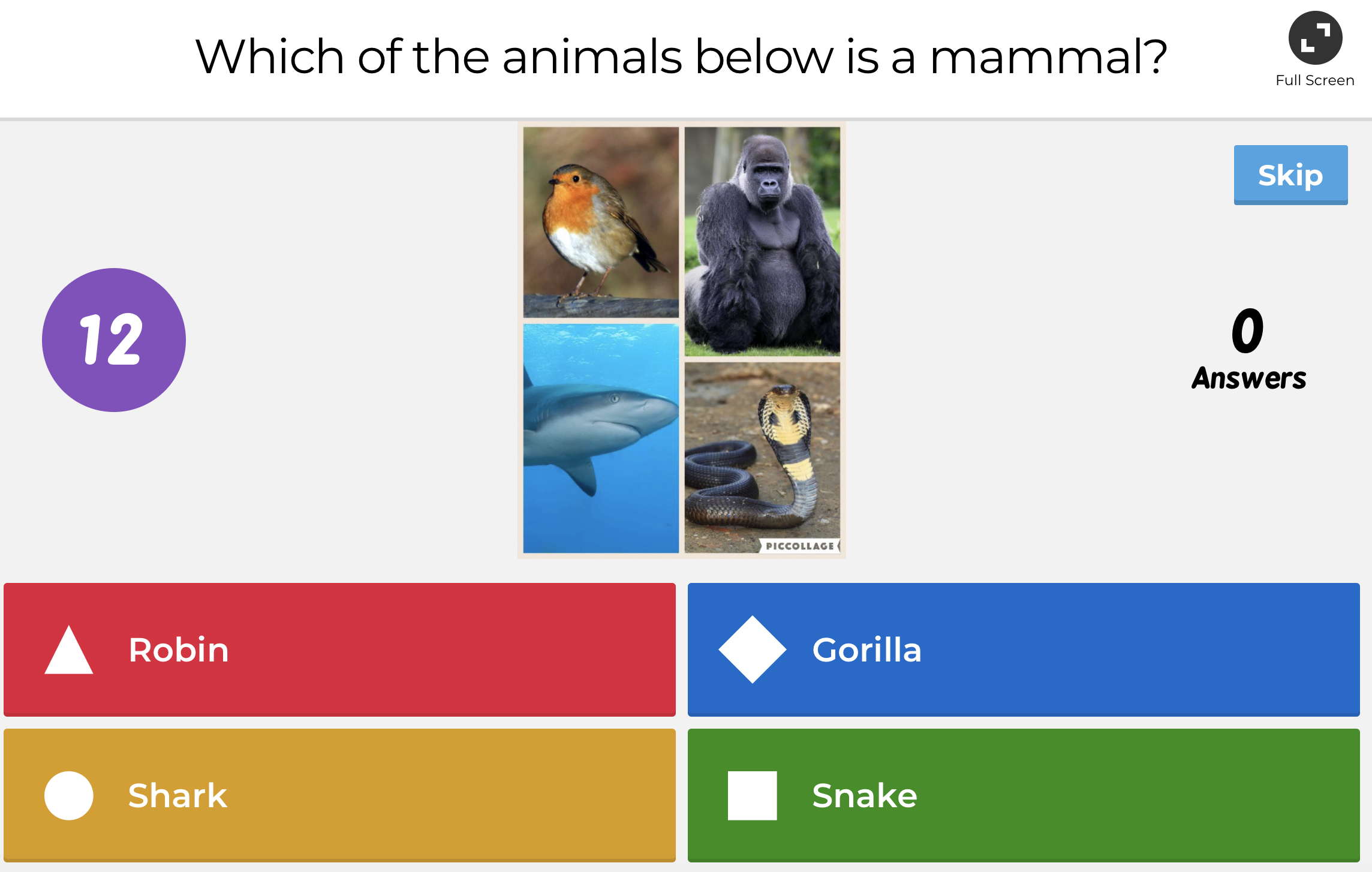
Earlier this year, I read about Kahoot! in a 5th Grade Teacher Facebook group. Many of the teachers were so pleased with the enthusiasm of their students when using Kahoot! - I became very insterested.  After trying it out in my classroom this year, I completely agree! Kahoot is a game-style quiz website that allows students to log in and answer questions. Students are awarded "points" for speed and correctness. "Awards" are given to the highest scores at the end of the quiz. Teachers can choose to create their own quizzes or use one of thousands already available. My students loved Kahoot! We began by using it as a "Fun Friday Reward" - my students would form teams and compete against one another on various topics from animals to Disney movies. Later in the year, we began using it during class to review content. I could easily tell who was mastering skills and who needed more support. Teachers can search specific objectives, but I preferred creating my own quizzes based on what we had discussed in class. While it does not require more than basic website experience, teachers may want to "practice" finding and assigning quizzes before using it in class. I think Kahoot! is a fun and useful tool for encouraging participation and formatively assessing students during class discussion. I hope you will try it out! 

Click here to try out Kahoot!


What is a Kahoot Quiz and how does it work? — Hyett Education Ltd.             Getting Started with Kahoot!

Module 3 - Miro Board


Quality Questioning Miro Board 
Miro is an online collaborative whiteboard that allows users to organize plans, notes, and ideas for FREE! I enjoyed trying out a new platform for organizing my thoughts while reading. As I read each chapter, I posted the question I would be focusing on. Next I took notes using either the "post-it" feature or one of the concept web templates. I also copied any charts or tables from the text that I found helpful. Finally, I used a gray box to synthesize my learning from the chapter. It was very easy to complete my written response by referring back to my Miro Board. I think this can be a valuable tool for grade levels that want to collaborate while planning or small groups of students that want to share notes for a project.


Module 3 - Word Cloud

I used the website https://wordart.com/ to create my "Word Cloud." I have included important terms from "Quality Questioning - Chapter 4." 


EED509 - Module 3 Quality Questioning - Reading Response

Quality Questioning: Research-Based Practice to Engage Every ...

I have learned so much as I read through the book “Quality Questioning - Research Based Practice to Engage Every Learner.”  I am very excited to use the strategies I have studied in my classroom. In Chapter 1, I read about the Cycle of Quality Questioning. To implement this into my classroom I have to first commit to making "questioning" part of my planning and designing phase of my lessons. I have to practice formulating questions that will promote deeper discussion and allow my students to make stronger connections. I also have to break the habit of only calling on “target” students and allowing some students to “opt out” of answering. I will need to develop better strategies for checking students' responses so that everyone feels like their responses matter and have value. By working to implement these behaviors and procedures, I can be sure that my students will become more engaged in my lessons and acquire a deeper understanding of the content.  

Chapter 2 focuses on how teachers can prepare Quality Questions. The rubric on page 24 is a useful tool for evaluating the questions prepared for a lesson. I would apply this rubric for checking the quality of my focus questions. I would begin by sitting down with my content partner (we both teach Reading) and collaborating on our focus questions. We would need to look closely at the standard and think about the verbs that are used.  We would need to take into account the prior knowledge of our students and be sure the questions spark our students’ interest. We will also need to be sure the question is worded to prompt deeper thinking and have a clear strategy for checking students’ responses. I think we would need to seek out resources and look at many examples as we develop this skill. It will take practice and time, but I think having this rubric will help us learn to create stronger, more engaging questions. 

Chapter 3 instructs on presenting the question and hearing student responses. In this chapter, I read about many different ways for students to respond. Several of these resonate with my teaching style. In my classroom I try to maintain a positive learning environment. I strive to teach respect and kindness from day one. I promote showing respect when we have different opinions and encourage students to listen to one another. To check responses, I definitely use signals for quick "who is paying attention and engaged" checks. I make sure all my students feel “safe” when using signals and do not tolerate laughing or making fun of one another.  In reading, I implement think, pair, share in our reading journals. Many of my 5th graders are more likely to share with a peer than out loud to the entire class. I think talking with a partner sometimes helps my students “practice” so they are ready to share aloud to the class. 

Chapter 4 discusses how teachers can encourage deeper responses from students by implementing “think time” during discussion. To do this in my own classroom, it will take practice and patience. As a teacher, I often feel as though I am “fighting” the clock to squeeze as much as possible into my day. After reading, I can better appreciate the value of purposeful “think time” when questioning students. When everyone has time to process, there can be more participation.  Students have more time to formulate evidence and justification of answers.  As a teacher, I am giving myself time to think and react. This is something I will need to model with my class. I am sure it will feel awkward at first, but will be a valuable strategy with practice. I will have to be very mindful about not allowing my lower students to “opt out” of participating. When everyone is held accountable, everyone is more likely to be engaged and will benefit from the discussion. 

Chapter 5 explains how to react to student responses. After reading the chapter, I believe a challenge for me will be when the student response shows the student is on track with his or her learning. This is a challenge because I typically praise this student and move on. I do not usually give “feedback” that causes the student to think deeper. With so many students below grade level and struggling with the content, I find it challenging to prompt students who easily grasp the content. Like the other strategies I have read about during this module, I believe I can become more successful with practice and collaboration with my colleagues.

Sattes, Jackie Acree Walsh; Beth D. Quality Questioning. SAGE Publications, Inc. (US), 2017. [Yuzu].


Saturday, May 30, 2020

EED509 Module 2 - Part 2 21st Century Tool Review for "Direct Instruction" Teaching Model: "Hippo Video"


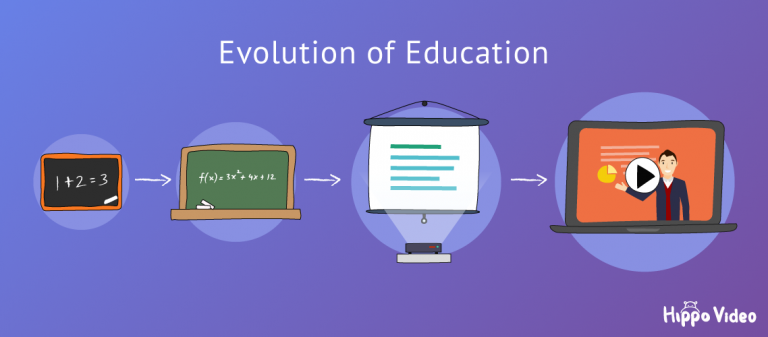
After researching the Direct Instruction teaching model, I have learned that there are many ways technology can enhance lessons that utilize this type of instruction. Although Direct Instruction is sometimes viewed as a more "traditional" way of teaching, integrating effective technology can help engage students and result in a more successful learning experience. One tool I discovered through Pinterest is called "Hippo Video."
Video Personalization & Distribution Platform | Hippo Video


Hippo Video is a perfect addition to any lesson using the Direct Instruction model. This program allows teachers to film themselves during the "presentation" portion of the lesson. As the teacher models the procedure or describes the new concept, she can video herself and then share this video with the students as a reference during the "guided practice" and "independent practice" portion of the lesson. This provides students with an example they can view as needed. This is especially important when utilizing Direct Instruction because the goal is for students to repeat the procedure in the correct steps or understand the concept by identifying specific attributes. Although I had not previously heard of Hippo Video, after exploring the features, I discovered many benefits that would make it valuable in a 21st Century classroom. Some of these benefits are:


  • Hippo Video is very compatible with all Google applications. Videos can easily be shared on Google Classroom for students to access at home. 
  • The program is FREE for educators. Setting up an account was quick and simple. 
  • Hippo Video works well on chromebooks, which is what most students in my district use in the classroom. 
  • You can "share" your screen while filming. In my video, I was able to see myself and select which portions of my screen were shown. Students can view websites or a whiteboard feature on your video. You can also annotate on the screen while filming, add texts, or even add emojis. 
  • While Hippo Video offers a wide range of features, it can be used with a basic knowledge of video technology (cropping, screen share, etc.) I found that by simply "testing" out the various options, I was able to learn so much! 
Top 7 Online Video Tool For Teachers To Create Videos Within Minutes

While my focus was to find a technology tool that lends itself well to the Direct Instruction model of teaching, I believe Hippo Video could have many more uses in the 21st Century classroom. Hippo Video is a terrific way for teachers to model and share ideas that will engage and support their students! 


Thursday, May 28, 2020

How Does Instructional Design Impact P-12 Student Learning? - EED509 Module 2

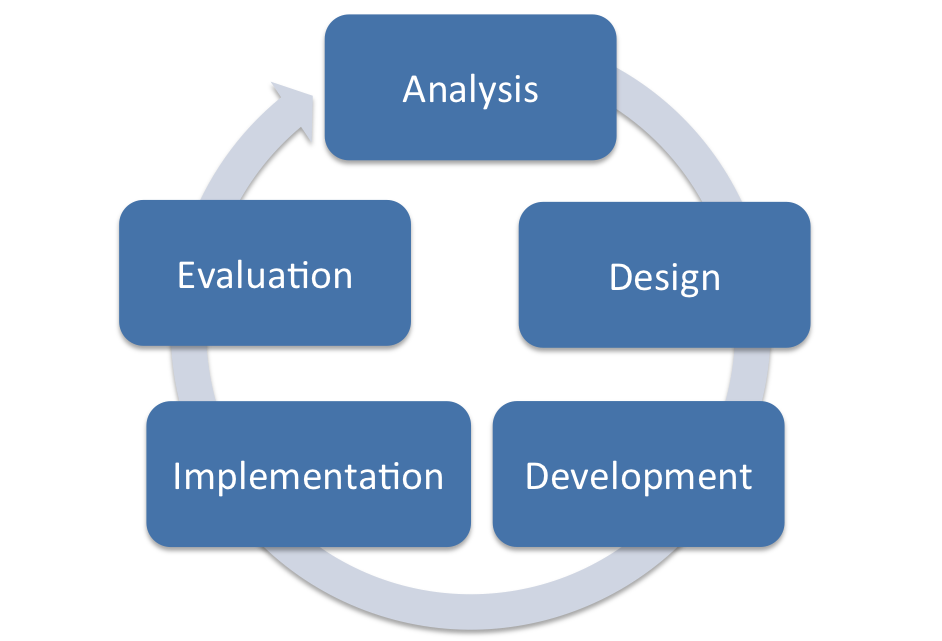
Instructional design impacts student learning in many ways. According to Teaching Models: Designing Instruction for 21st Century Learners, “Instructional design (sometimes called instructional systems design) is a systematic and scientific approach for designing instruction and creating instructional materials.” Milman, Natalie B., Kilbane, Clare R. Teaching Models: Designing Instruction for 21st Century Learners.. [Yuzu]. This requires teachers to approach their lessons as “educational designers.” Teachers must not only plan lessons that effectively meet objectives, but also integrate tools that are available to engage all learners. It means that teachers must implement various instructional models depending on the content they are teaching.
In the 21st Century classrooms I have observed, it is evident which teachers approach their job as educational designers. These teachers have taken the time and effort to use a “backward approach” to planning. They have first thought about the goals and objectives, then reflected on the instructional model that is most appropriate. They have not only planned high-quality resources, but also integrated technological tools to enhance the lessons. These are teachers that make a conscious effort to differentiate the instruction so that all learners are engaged and can benefit from the lesson. By familiarizing ourselves with the instructional design process, we can be better equipped to meet the needs of 21st Century Learners. 
ADDIE Model: Instructional Design - Educational Technology
The ADDIE model of instructional design - used from Educational Technology.net
https://educationaltechnology.net/the-addie-model-instructional-design/

Sunday, May 24, 2020

EED 509 Module 1 Assignment

Module 1 - Part 4 21st Century Tool Review: "EPIC!"
Epic | The Leading Digital Library for Kids | Unlimited Access to ...

I first became familiar with EPIC! through a Facebook group for teachers. Like many ELA educators, I was searching for tools that would motivate my students to read. I believe that EPIC! Is a terrific resource that not only engages students, but effectively integrates technology.   
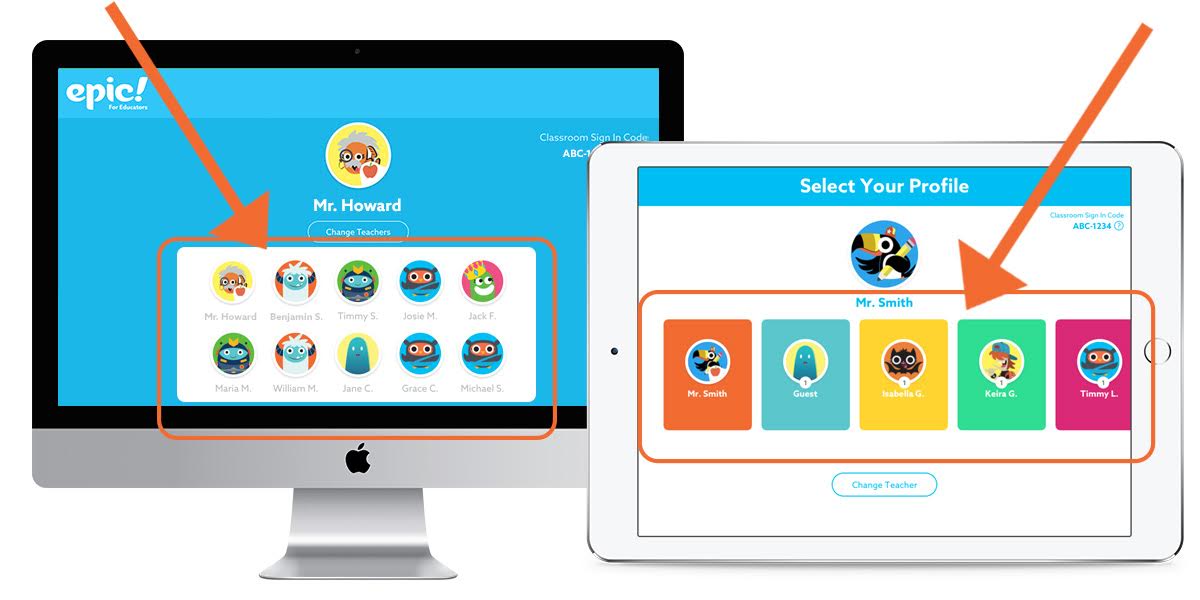
EPIC! Is an online reading library that provides students access to over 25, 000 books. While is best used for reading, also has numerous nonfiction titles that can be used for research in other content areas. Epic! is free for educators and easily connects to Google Classroom. Any teacher who has experience with Google Classroom would be able to set up a class in Epic! without support. The app is very easy for students to navigate as well. My five year old is able to select books based on topics that interest her and track her progress through the Epic! app. 

How do my students log into my educator account? – Help Center
Student Profiles on EPIC!
This program is a valuable instructional tool for educators for many reasons. It provides content specific technology because students can search for and access a multitude of topics. It also gives teachers technological pedagogical knowledge because teacher’s can assign books to students based on reading level, interest, or need. Teachers can also differentiate by assigning books that can be read aloud to struggling readers, as well as track their students progress based on hours read, books completed, or success on comprehension quizzes. This app would be very useful if a teacher wanted to assess students’ ability to complete a graphic organizer, determine theme or main idea, or analyze characters because he or she can assign the same text to all his or her students. 

Other benefits of EPIC! Include:
  • Students can access through any device - they always have their books available
  • Students can set up their library based on interest (this is helpful for students that struggle with choosing books)
  • Students can “level up” and receive “badges” for completing books. 
  • Over 25,000 books available - includes popular characters, series, and high interest non-fiction texts. 
  • Motivates reluctant readers

I hope you will consider adding EPIC! to your “instructional toolbox.” It is an excellent resource for 21st Century Educators! 

Get Epic! - Unlimited Books for Kids - Microsoft Store
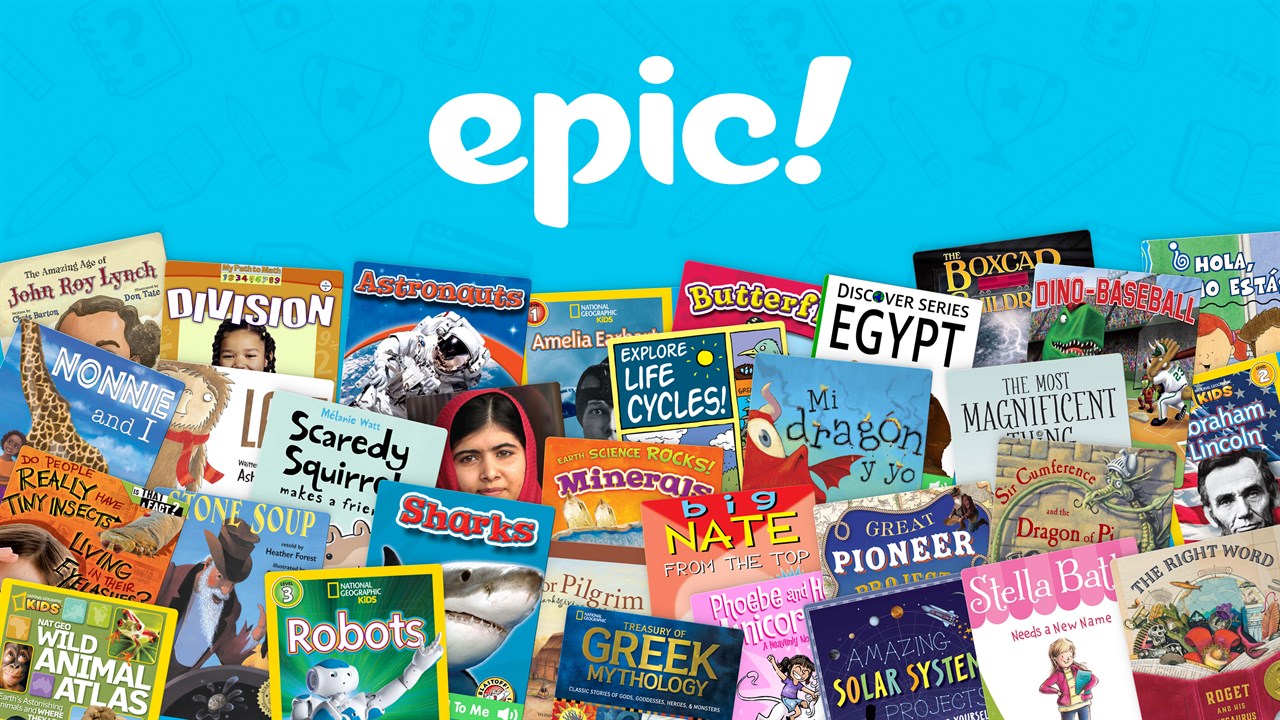
So many titles available through Epic!

EED 509 Module 1 Assignment

Module 1 - Part 3 "What is TPACK?"

Image: used from TPACK.org https://matt-koehler.com/tpack2/
TPACK Model - Image used from TPACK.org https://matt-koehler.com/tpack2/

TPACK stands for Technological Pedagogical and Content Knowledge. It is an extension of Lee Shulman’s model of knowledge domains and is meant to illustrate the knowledge teachers should possess to adequately integrate technology into their teaching. This model reminds educators that they must possess understanding of the content they are teaching, the best way to teach the content, and the appropriate technology to use. Let’s look at the components of TPACK: 

The elements of the TPACK model are outlined and defined in book Teaching Models: Designing Instruction for 21st Century Learners. Awareness and comprehension of these parts will help the teacher plan more effective lessons and make intentional decisions about their instruction. Milman, Natalie B., Kilbane, Clare R. Teaching Models: Designing Instruction for 21st Century Learners.. [Yuzu].The first components of TPACK are content knowledge - understanding what needs to be taught, pedagogical knowledge - how to teach, and technical knowledge - what tools can be used to teach. Also included are technical content knowledge - understanding content specific technology, pedagogical content knowledge - understanding the best way to teach specific content, technical pedagogical knowledge - understanding the most effective way to use available technology, and technological pedagogical content knowledge -requiring the educator to think about the best method for teaching specific content and the most beneficial and appropriate technology to use .  When all these components are together they make up the TPACK model. 
As educational designers, it is essential that we understand not just WHAT we are teaching, HOW to best teach it, and WHICH tools would make our teaching most successful. 21st Century Educators have to have a mindset of growth and be willing to adapt and learn as new technology and instructional methods become available. “Technology, learner needs, and curriculum are constantly changing; therefore, teachers will need to expand their TPACK throughout their careers to respond to these changes.” (page 51) Milman, Natalie B., Kilbane, Clare R. Teaching Models: Designing Instruction for 21st Century Learners.. [Yuzu]. Using the TPACK model benefits teachers because it can help us determine where we are lacking as educators. If one of the TPACK components is weak, then the teacher has a clear direction for professional development. It also provides an avenue for collaboration and communication between other educators. In my next post I will examine a 21st Century tool and how it can fit into the TPACK model. 

EED 590 - Module 1 Assignment

Module 1 - Part 2 EVERNOTE Strategy

Using Evernote for this module definitely put me “out of my comfort zone”. This program is completely new to me. I have always been the student, or teacher for that matter, that enjoyed physically “taking notes.” I like writing my notes, checklists, and reminders in my journal. In an effort to be a better “21st century teacher” I dove into Evernote and really made an effort to explore and implement all the options. 
One of the most important benefits of using Evernote is that all notes are synched to each of my devices. This makes it very convenient to work whenever I have time. As a busy mom and teacher, I like that I can switch between my laptop and my phone when I am on the go. Most importantly it impacted my learning by reinforcing a key concept of becoming a 21st century teacher - 21st Century teachers have to be adaptive. We have to be willing to try new methods and learn new tools in order to provide our students with the best chance for success. You can in fact teach an old dog new tricks. 
One way I can envision using Evernote as a teacher is for documentation purposes. Often we have students that are on special behavior plans. These plans typically have some sort of checklist or chart that has to be filled out by each teacher daily. This data is then used to assess the student’s progress and reward the student when appropriate according to the plan.  However, I team teach with two other teachers and my students not only visit their PE coaches daily, but also attend either art, music, counseling, or library. It becomes cumbersome and distracting when a paper version of the behavior plan has to be passed from teacher to teacher. It also runs the risk of violating that student’s privacy. I believe Evernote could be a great resource for this type of documentation. If could easily be shared among teachers and formatted to meet the needs of the particular plan. 
For my students, I believe Evernote would be  a helpful tool for our book clubs. We typically group 3 or 4 students together to read and discuss a chapter book. The group reads a little each day and takes notes on their reading. It never fails that one or more members of the group lose their notes or a student that is absent is completely lost when they return. Evernote would be a valuable tool for this type of activity. The members of a book club can “share” the notes and everyone can contribute. When the students are ready to complete a final assignment on the book,  they can have easy access to their notes.

Example of EVERNOTE M1-P1


Example of EVERNOTE M1-P2